Bars · Restaurant POS
Bar POS System Features: What to Look For
Learn which bar POS system features support faster service, including quick order entry, modifiers, kitchen tickets, staff controls and closing reports.
A realistic shift
The second wave arrives before the first one clears
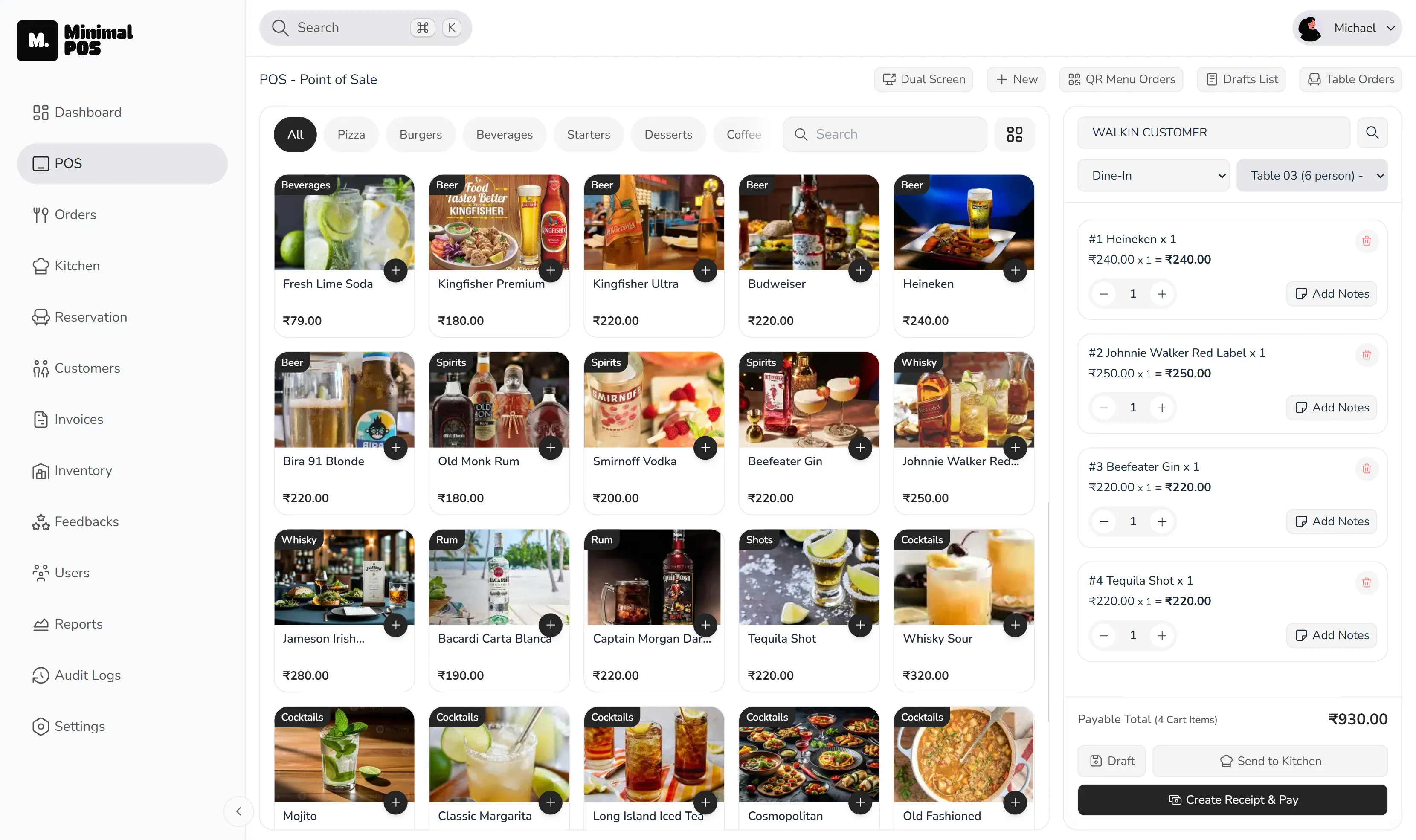
Two tables order drinks, one adds food with a preparation note, and a takeaway order reaches the counter. The bar POS system needs to keep entry fast, send only the relevant items to the kitchen and preserve the full transaction trail for the closing manager.
What should a bar POS system do?
A bar POS system should make fast drink orders easy to enter while keeping modifiers, food items, staff actions and payment records connected. During a rush, the screen must work for short orders without losing detail when a ticket becomes more involved.
The practical goal is fewer verbal handoffs. The person entering the order should be able to trust that its details remain visible to the people preparing and reviewing it.
Fast bar order entry and drink modifiers
Bar POS software should keep common drinks close at hand during peak service, but important variations cannot disappear. Item variants and add-ons create a consistent way to record choices rather than relying on memory.
This is particularly important when multiple staff members cover the same area. The order becomes the shared source of truth instead of belonging only to the person who heard it.
Bar and kitchen order management on one ticket
A bar order management system should keep drinks and food on the same order while sending the kitchen only the items and preparation details it needs. The wider team still needs to understand the status of the order as a whole.
A kitchen display system provides that visible handoff. Tickets can move through preparation states, giving the team a common operational view.
Staff permissions and void tracking
Busy service should not mean every staff member needs access to every setting or report. Role permissions help keep operational screens available to the people who need them.
Managers should also be able to review exceptions such as voids alongside sales and payment data. That is more useful than trying to reconstruct the shift from separate notes after closing.
Bar sales reports for end-of-night closing
Bar sales reports should show more than the nightly total. Payment mix, top items, peak hours and void activity help a manager see what sold, when activity concentrated and where an exception may need attention.
Useful bar sales reporting should shorten the closing conversation and give the next shift a clearer starting point.
Ready to try MinimalPOS?
Start your free trial — no credit card required. Set up in under 5 minutes.
Why MinimalPOS
How MinimalPOS supports a bar POS workflow
MinimalPOS supports this use case through the following capabilities:
- Counter and table order entry
- Item variants and add-ons
- Kitchen tickets and preparation states
- Staff roles and permissions
- Payment mix, peak-hour, top-item and void reports
Before choosing a system
What to check before choosing a bar POS system
- 01Is common order entry quick enough for peak service?
- 02Do modifiers stay attached to the correct item?
- 03Can food orders reach a live kitchen queue?
- 04Can access be limited by staff role?
- 05Can managers review payments, items, peak hours and voids together?
Common questions
Bar POS system FAQs
What features should a bar POS have?
A bar should prioritise quick order entry, clear modifiers, table and service visibility, kitchen handoff when food is served, role permissions and useful closing reports.
Does MinimalPOS support bar tabs or split bills?
These capabilities are not claimed on the current public MinimalPOS product pages. Confirm your exact billing workflow with the MinimalPOS team before choosing a system.
See it in your workflow
Explore a clearer POS workflow for your bar team.
Walk through the exact order, preparation, billing and reporting steps your team uses before making a decision.