Cafés · Restaurant POS
Café POS System Features: What Coffee Shops Need
Explore the café POS system features that matter most: fast order entry, drink modifiers, kitchen tickets, billing and useful sales reports.
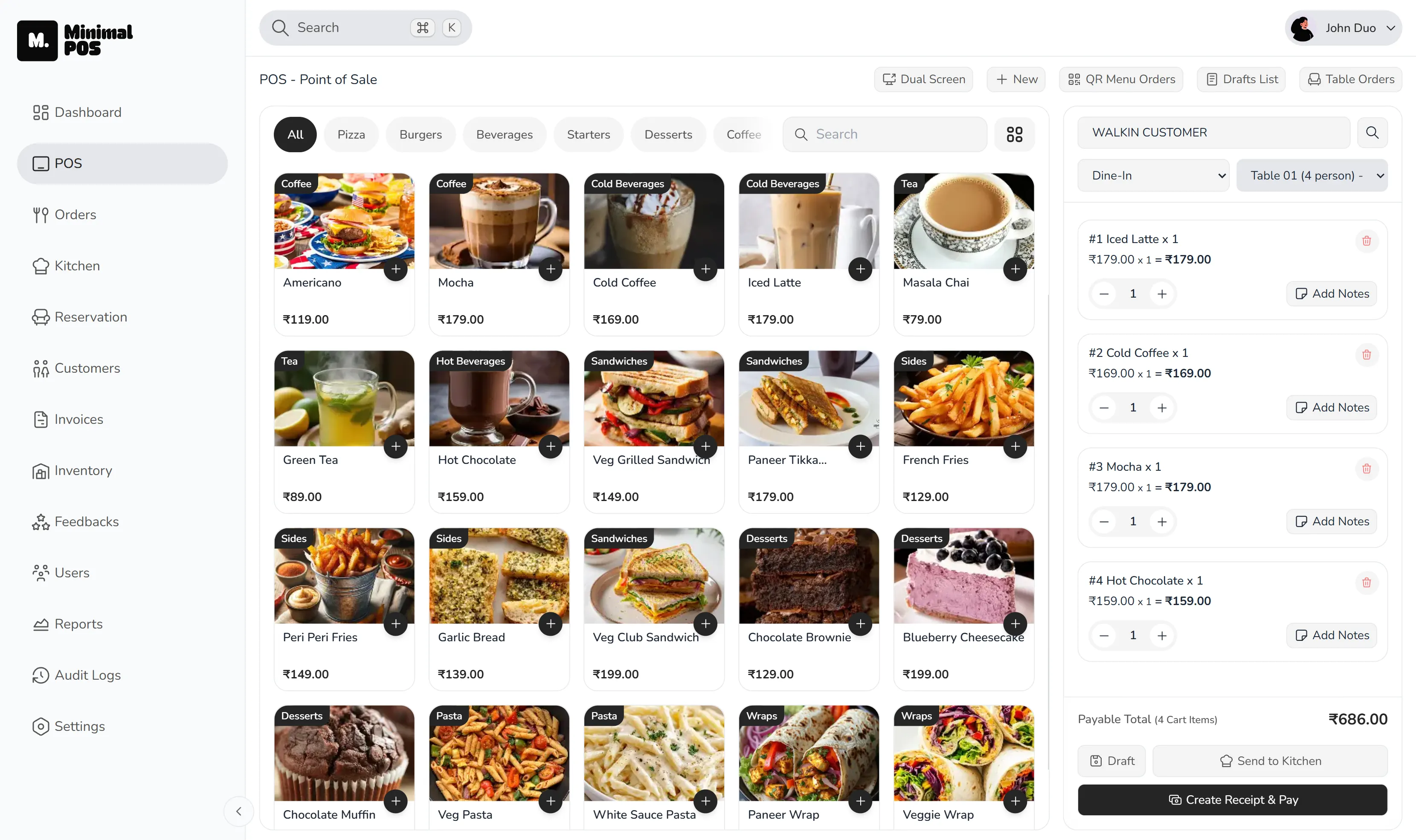
A realistic shift
Three coffees and a sandwich are not four simple items
One coffee is large with oat milk, another needs an extra shot, the third is standard, and the sandwich is takeaway. The queue is growing while the barista needs an exact preparation list. A good café POS system preserves every choice without slowing the cashier down.
What makes a café POS different from basic billing software?
A café POS system needs to handle fast counter service without losing the details behind customised drinks and mixed food orders. During the morning rush, a repeated modifier, a missing preparation ticket or a hard-to-search menu can quickly lengthen the queue.
Speed matters, but speed without accurate order detail simply moves the problem to the barista. Café POS software needs to make the common path quick while keeping unusual choices clear.
Kitchen tickets for drinks and food orders
Mixed orders are where verbal systems begin to fray. The drink station needs its instructions, the kitchen needs the sandwich, and the cashier needs confidence that both have received the order.
A coffee shop POS system should keep the kitchen ticket visible as drinks and food move through preparation. Staff can work from the order rather than relying on calls across a noisy counter.
Café billing and faster customer checkout
Café billing software should keep payment connected to the order. That gives the business a cleaner record of items, service type, payment method and receipt details without asking the cashier to enter the sale again.
Customer details can be useful when the guest chooses to share them, but they should not turn a quick coffee purchase into a long form. The operational default should remain fast.
Café sales reports for peak hours and best-selling items
Café sales reporting can turn the feeling of a busy morning into something the owner can examine. Which half-hour carried the most sales? Which items moved? How was the payment mix different from a quieter period?
Those questions can inform preparation, menu placement and staffing. Reporting is useful when it leads back to the next shift.
Ready to try MinimalPOS?
Start your free trial — no credit card required. Set up in under 5 minutes.
Why MinimalPOS
How MinimalPOS supports a café POS workflow
MinimalPOS supports this use case through the following capabilities:
- Fast counter ordering
- Item variants and add-ons
- Kitchen display and preparation states
- Billing, custom payments and receipts
- Peak-hour, payment and top-item reporting
Before choosing a system
What to check before choosing a café POS system
- 01Can staff reach common menu items quickly?
- 02Are drink and food modifiers clear on preparation tickets?
- 03Can mixed orders remain together while different stations prepare them?
- 04Does the system report peak hours and best-selling items?
- 05Can the team learn the workflow without slowing down service?
Common questions
Café POS system FAQs
What should a café POS system include?
A café should look for quick menu navigation, structured variants and add-ons, clear preparation tickets, connected billing and useful peak-hour and item reporting.
Can MinimalPOS handle customised café orders?
MinimalPOS supports item variants and add-ons, allowing choices such as size or extras to remain attached to the order as it moves to preparation.
See it in your workflow
See how MinimalPOS can simplify your café’s busiest hours.
Walk through the exact order, preparation, billing and reporting steps your team uses before making a decision.