Food trucks · Restaurant POS
Food Truck POS System: 5 Features to Look For
Learn which food truck POS system features matter most for fast takeaway orders, menu modifiers, kitchen tickets, billing and daily sales reports.
A realistic shift
Twenty minutes can define the lunch service
A queue forms after a nearby office lets out. The menu is small, but several items have add-ons and the preparation space fits only a few people. A food truck POS system needs to keep orders moving without repeated tickets while preserving a reliable sales record for the owner.
What should a food truck POS system include?
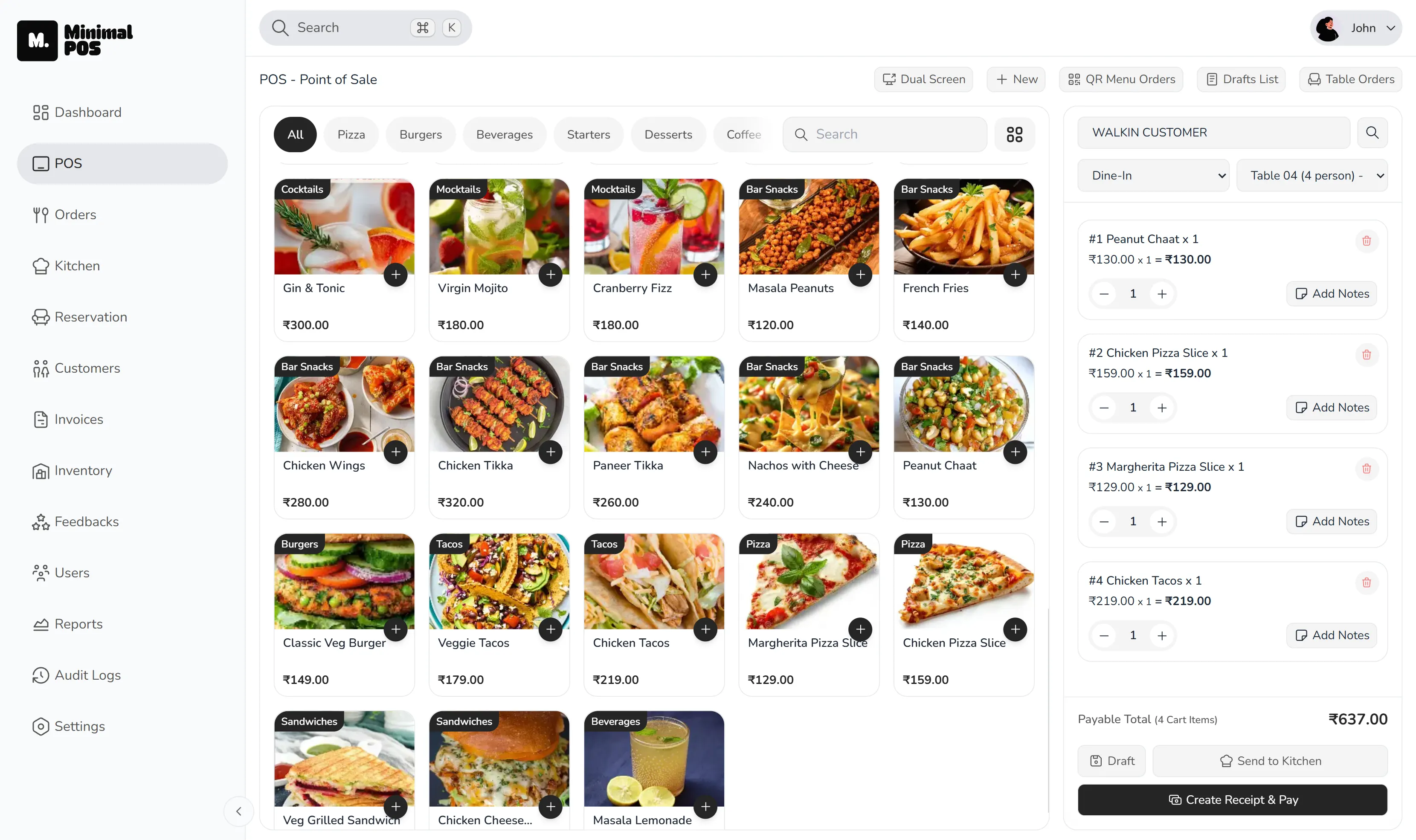
A food truck POS system should support quick takeaway orders, clear menu modifiers, preparation tickets, billing and end-of-day sales reports without adding unnecessary steps. Limited counter space and sharp bursts of demand make those basics more important than a long feature list.
The essential path should stay short: choose the item, record the variation, send it to preparation, take payment and preserve the sale for later review.
Kitchen tickets for food truck order preparation
Food truck order management can break down when a tight workspace becomes noisy. A live preparation ticket gives the cook an ordered list and keeps item details attached without relying on somebody to repeat the order.
The same order can then move toward completion without staff creating a second paper trail. That is a small change with a large effect during a short peak.
Food truck billing and payment records
A takeaway POS system should create the bill from the order already entered. Discounts, custom payment methods and receipts need a consistent record so the owner is not matching unrelated totals later.
Payment options and hardware requirements vary by location, so a food-truck operator should confirm the exact setup before committing to any system.
Food truck sales reports for end-of-day review
Food truck sales tracking should go beyond the daily total. Item and peak-hour reports explain which menu choices moved and when demand concentrated.
That information can guide prep quantities and menu decisions. It is also more dependable than trying to remember the shape of a rush several hours later.
Ready to try MinimalPOS?
Start your free trial — no credit card required. Set up in under 5 minutes.
Why MinimalPOS
How MinimalPOS supports a food truck POS workflow
MinimalPOS supports this use case through the following capabilities:
- Takeaway order entry
- Menu variants and add-ons
- Kitchen tickets and preparation states
- Billing, custom payments and receipts
- Sales, peak-hour and top-item reporting
Before choosing a system
What to check before choosing a food truck POS system
- 01Is the menu quick to navigate in a small workspace?
- 02Can add-ons be recorded without creating duplicate products?
- 03Does preparation receive a clear live ticket?
- 04Are payment and receipt details linked to the order?
- 05Can the owner review sales, items and busy periods after service?
Common questions
Food truck POS system FAQs
What should a food truck POS system include?
Prioritise quick takeaway order entry, simple modifiers, a clear preparation handoff, connected billing and practical end-of-day sales and item reporting.
Does the MinimalPOS restaurant product work offline?
The public website describes offline-first operation for the separate retail product, not the restaurant platform. Food-truck operators should confirm connectivity requirements with the MinimalPOS team.
See it in your workflow
See how MinimalPOS can simplify ordering and billing in your food truck.
Walk through the exact order, preparation, billing and reporting steps your team uses before making a decision.