Restaurants · Restaurant POS
How Does a Restaurant POS System Work? A Step-by-Step Guide
Learn how a restaurant POS system works—from order entry and kitchen tickets to billing, payments and daily sales reports—in one practical guide.
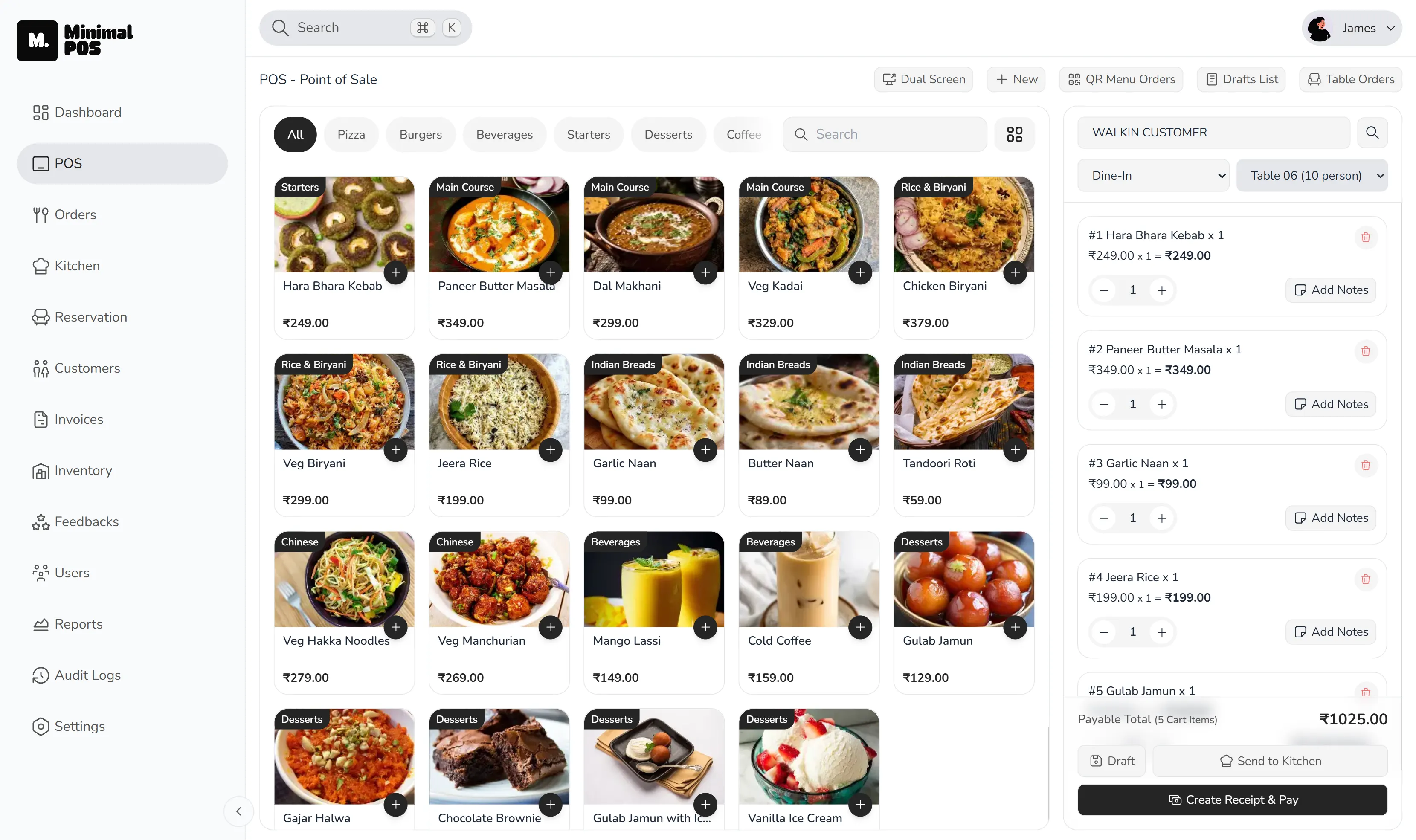
A realistic shift
One table, three different instructions
A table orders two mains, one without an ingredient, a drink and a starter that should arrive first. The useful test of a restaurant POS system is not whether it can save four items. It is whether the floor, kitchen and cashier can all see the same instructions without somebody repeating them.
What does a restaurant POS system do?
Most service mistakes begin in the gaps between teams. A server writes a note that the kitchen cannot read. A takeaway order is entered again at the billing counter. A modifier is explained verbally and disappears when the shift gets busy.
A restaurant POS system should reduce those handoffs. The order needs one reliable record: what was ordered, how it should be prepared, where it is going and whether it has been completed or paid.
Step 1: Take restaurant orders and record modifiers
Restaurant order management starts with capturing each order once. Counter, table, takeaway, delivery and QR orders may begin differently, but they should enter the same operational flow. Item variants and add-ons need to remain attached to the item rather than living on a loose note.
That matters when the restaurant is busy. The server should not need to walk to the kitchen to clarify a choice that was already captured at the table. Guests using a digital QR menu should also feed the same queue instead of creating a second inbox for staff to monitor.
Step 2: Send orders to a kitchen display system
A kitchen display system is most useful when it shows more than a list of tickets. The team needs to see new work, preparation details and which items or tickets have moved forward. That creates a shared picture of the shift without constant calls between the floor and kitchen.
It also gives front-of-house staff a better basis for answering a guest. They are working from the same order status, not from a guess or a hurried conversation at the pass.
Step 3: Create the bill from the original order
Billing should be the next stage of the order, not a separate data-entry task. Service type, discounts, taxes, service charges, payment and receipt details should stay connected to the sale.
This is where restaurant billing software earns its place: fewer repeated entries, a clearer record of what happened and less end-of-shift reconciliation between paper tickets and payments.
Step 4: Review restaurant sales reports after service
A total sales number is only the beginning. Managers may need to review peak hours, payment mix, top items, table performance, service types and voids. Those details help explain why a shift felt busy, where revenue came from and which exceptions deserve a closer look.
The point of restaurant reporting software is not to create more dashboards. It is to make the next operational decision easier: adjust staffing, review a menu item or investigate a pattern of voids.
Ready to try MinimalPOS?
Start your free trial — no credit card required. Set up in under 5 minutes.
Why MinimalPOS
How MinimalPOS supports a restaurant POS workflow
MinimalPOS supports this use case through the following capabilities:
- Counter, table, takeaway, delivery and QR order entry
- Item variants and add-ons
- Live kitchen tickets and preparation states
- Taxes, service charges, discounts, custom payments and receipts
- Sales, payment, item, table, service-type and void reporting
Before choosing a system
What to check before choosing a restaurant POS system
- 01Can every order source enter one kitchen workflow?
- 02Do item choices stay attached throughout preparation?
- 03Can kitchen staff update individual items or full tickets?
- 04Does billing reuse the original order record?
- 05Can managers review useful shift details—not only total sales?
Common questions
Restaurant POS system FAQs
Do small restaurants need a POS system?
A small restaurant can benefit when several people handle the same order or when billing, kitchen tickets and daily sales are being tracked separately. The value comes from reducing repeated work, not from the size of the venue.
Can a restaurant POS send orders to the kitchen?
Yes. MinimalPOS sends staff-entered and QR orders to a live kitchen workflow where teams can update item or ticket preparation states.
See it in your workflow
See how MinimalPOS connects your counter, tables, kitchen and reports.
Walk through the exact order, preparation, billing and reporting steps your team uses before making a decision.